In the world of corrugated box production, ensuring that your printer operates at its highest efficiency is essential for achieving high-quality results. A key part of this process is maintaining the Printer Tank, Ink Pumps, and related components, which play a significant role in the quality and consistency of printed materials. Regular maintenance and proper care can help avoid costly downtime and extend the lifespan of these critical parts. This blog will provide tips on maintaining your printer tank, ink pumps, and associated components to keep your printing operations running smoothly.
1. Printer Tank (RS4 Printer Tank)
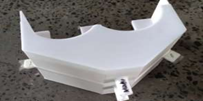
The Printer Tank (858mm x 1300mm) is responsible for storing and supplying ink to the printing mechanism. Its role in ensuring the steady and consistent flow of ink to the printer is crucial for maintaining quality prints. Regular maintenance of the printer tank helps avoid issues like inconsistent ink flow, which could negatively impact print quality.
Maintenance Tips:
- Regular cleaning: Clean the printer tank regularly to avoid ink buildup, which can clog the system and result in inconsistent printing.
- Check for leaks: Inspect the tank for any leaks or cracks that could cause ink wastage or reduce printing efficiency. Replace damaged tanks promptly to avoid further issues.
- Monitor ink levels: Keep track of ink levels to avoid running out mid-production. An adequate ink supply ensures continuous, high-quality printing.
Benefits of Upgrading:
- Upgrading to a higher-quality printer tank can enhance the ink distribution, prevent clogging, and ensure consistent print quality, reducing downtime and waste.
2. Ink Pumps (BML-5, CHDESN)
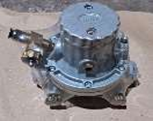
Ink Pumps, such as the BML-5 and CHDESN, are responsible for circulating the ink to the printing units. A properly functioning ink pump ensures a consistent supply of ink, resulting in smooth and even printing. If the ink pump becomes clogged or worn out, it can affect the print quality, leading to uneven or faded prints.
Maintenance Tips:
- Clean the ink pump regularly: Over time, ink can build up and clog the pump, resulting in uneven ink flow. Regular cleaning ensures the pump runs smoothly and prevents ink contamination.
- Check for leaks: Inspect the pump for any signs of leaking ink, which can reduce its efficiency and lead to excess waste.
- Replace worn-out components: If the pump starts showing signs of damage or reduced performance, replace worn-out seals or components to restore functionality.
Benefits of Upgrading:
- High-quality ink pumps can maintain a more consistent flow of ink, improving printing efficiency and reducing ink wastage.
3. Printer Gear Box (RS4 Printer Gear Box)
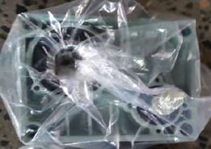
The Printer Gear Box (Shaft 16 MM / ID 30 MM) is responsible for driving the printing mechanism. This part ensures the precision and smoothness of the printing process by controlling the movement of the printing rollers. Regular maintenance of the gear box helps ensure smooth operation, reducing the risk of mechanical failures that could halt production.
Maintenance Tips:
- Regular lubrication: Keep the gears properly lubricated to reduce friction and prevent wear. Proper lubrication ensures the gear box operates efficiently and reduces the chances of overheating.
- Inspect for damage: Regularly check the gear box for any signs of damage or misalignment, which could lead to inaccuracies in printing.
- Replace worn gears: Over time, gears in the printer gear box can wear down, leading to misalignment or a complete breakdown. Replacing worn gears promptly helps avoid disruptions in production.
Benefits of Upgrading:
- Upgrading to a high-performance printer gear box ensures smoother and more precise printing operations, improving overall machine efficiency and reliability.
4. Additional Tips for Printer Maintenance
To ensure maximum efficiency and quality in your printing operations, consider the following general maintenance practices:
- Routine checks: Regularly inspect the entire printing system, including the printer tank, ink pumps, and gear boxes. Catching small issues early prevents costly breakdowns.
- Clean all components: Regularly clean all parts of the printer, including the ink supply system, rollers, and print heads, to prevent ink buildup and contamination.
- Proper storage: Store ink and other printer components in a clean, dry environment to prevent contamination or damage from external factors.
- Monitor print quality: Pay attention to any fluctuations in print quality, such as faded prints or inconsistencies, as these may indicate a need for maintenance or part replacement.
Conclusion:
Maintaining the Printer Tank, Ink Pumps, and other related components is essential for ensuring the longevity and efficiency of your printing machine. Regular cleaning, timely replacements, and proper care can significantly enhance print quality, reduce downtime, and extend the life of your equipment. By following these maintenance tips and investing in high-quality parts, such as upgraded Ink Pumps and Printer Gear Boxes, you can optimize your production process and maintain a high standard of output in your corrugated box manufacturing operations.
A proactive approach to maintenance will not only keep your printing system running smoothly but will also help you reduce operational costs and improve productivity in the long run.